Hello Trailblazers!
Take a scenario where you are creating a record in Salesforce, and you are not getting any kind of confirmation via notification whether your record is created successfully or it throws any Alert or Warning. So, for this, Salesforce has functionality called “Toast Notifications”.
Toast notifications are an effective way to provide users with feedback about their actions in Salesforce Lightning Web Components (LWC). They appear as pop-up messages at the top of the screen and automatically fade away after a few seconds.
So in this blog post, we are going to learn everything about Toast Notifications and their types in Salesforce Lightning Web Components (LWC), along with the real-world examples.
So, let’s get started…
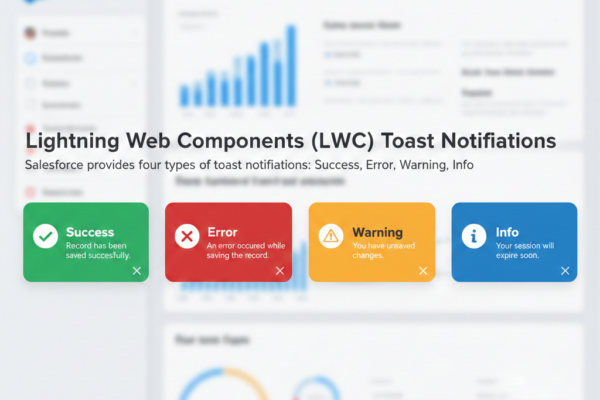
In Lightning Web Components (LWC), you can display Toast Notifications using the Lightning Platform’s ShowToastEvent. Salesforce provides four types of toast notifications:
- Success – Indicates that the operation was successful.
- Example: “Record has been saved successfully.”
- Error – Indicates that something went wrong.
- Example: “An error occurred while saving the record.”
- Warning – Warns the user about a potential issue.
- Example: “You have unsaved changes.”
- Info – Provides informational messages to the user.
- Example: “Your session will expire soon.”

Example Code for a Toast Notification in LWC:
import { ShowToastEvent } from 'lightning/platformShowToastEvent';

const event = new ShowToastEvent({
    title: 'Success!',
    message: 'Record has been created successfully.',
    variant: 'success' // Can be 'success', 'error', 'warning', or 'info'
});
this.dispatchEvent(event);
So, here is an example of the Toast Notification.
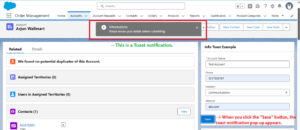
So this way, you can write toast notification code and make changes according to your requirements.
In the next part of this blog series, we will explore what a success toast notification is and demonstrate how to implement it through a practical, real-world example.
Until then, Keep Reading !!
Related Posts:
You Can Also Read:
1. Introduction to the Salesforce Queues – Part 1
2. Mastering Salesforce Queues: A Step-by-Step Guide – Part 2
3. How to Assign Records to Salesforce Queue: A Complete Guide
4. An Introduction to Salesforce CPQ
5. Revolutionizing Customer Engagement: The Salesforce Einstein Chatbot