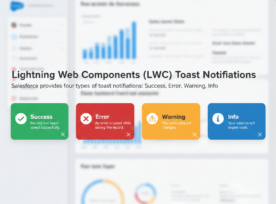
Hello Trailblazers! Take a scenario where you are creating a record in Salesforce, and you are not getting any kind of confirmation via notification whether your record is created successfully or it throws any Alert or Warning. So, for this, Salesforce has functionality called “Toast Notifications”. Toast notifications are an effective way to provide users […]
Posts Tagged ‘Lightning Web Components’

Methods for identifying desktop, mobile, or tablet device in the LWC component
In order to write device-specific code in Salesforce LWC (Lightning web components), we will explore different methods of detecting a device in this blog. The following methods can be used in Lightning Web Components (LWC) to identify a device or distinguish between a desktop, tablet, or mobile device: 1. Using Standard web APIs navigator.userAgent In […]

A Complete Guide to Navigation Service in Lightning Web Components: Part 2
Hello Trailblazers! In Salesforce Lightning Web Components (LWC), the Navigation Service plays a crucial role in creating a seamless user experience by enabling easy, programmatic navigation between different pages, records, or external links. In the previous Part 1 of this blog we saw the basics of the Navigation Services and how to navigate a user […]

A Complete Guide to Navigation Service in Lightning Web Components: Part 1
Hello Trailblazers! Lightning Web Components (LWC) has transformed how developers create modern and efficient applications within the Salesforce platform. One of the key functionalities that enhances user experience in LWC is the Navigation Service. This service allows developers to navigate between different components, pages, or external URLs with ease. In this blog, we’ll explore the […]