by Nick Passero, Director AI Data & Analytics, Databricks Practice Lead
As I started this project, I was flying over Shenandoah National Park on a 6:30 a.m. flight from Charlottesville to Chicago, then onto San Francisco for the Databricks Data and AI Summit 2026.
I opened my laptop to catch up on last week’s announcements and landed on Databricks’ release of Omnigent.
A couple of hours, reliable WiFi, and a new open-source orchestration layer—good enough conditions to see what this could actually do in practice.
As I reviewed the announcement and dug into the GitHub repo, I decided to test it in real time—using AI-assisted development (primarily Claude via CLI) as the interface for building and managing the setup.
What Is Omnigent?
Omnigent is an open-source multi-agent AI orchestration platform released by Databricks.
At its simplest, it acts as a management layer on top of your existing AI development tools—Claude Code, OpenAI Agents SDK, Codex, and others. You’re not replacing your tools—you’re orchestrating them.
For development teams, the value shows up in structure and scalability:
- Persistent sessions with shared context
- Worktree support for parallel development
- A unified interface for managing multiple agents
Instead of fragmented workflows and one-off sessions, you get reproducibility, visibility, and a foundation teams can collaborate on.
What’s notable here is the direction: Databricks isn’t just investing in data and AI infrastructure—they’re shaping how engineering teams build on top of it. Omnigent focuses on managing the workflows and agents themselves, not just the underlying data.
Wall #1: Windows
First thing I noticed when I went to install, I’m on Windows. That’s wall number one. No time for an IT requisition for a MacBook Pro.
Omnigent runs cleanly on Linux/Mac. On Windows you’ve got a decision to make. Claude started to recommend patching Omnigent, a path I did not want to go down. It was built to run on Linux/Mac for a reason. The easiest answer: Windows Subsystem for Linux (WSL).
wsl --install
That’s honestly most of it. WSL 2 ships with Ubuntu by default. A restart, a few minutes, and I had a clean Linux environment to work in.
The Install: Actually Easy
Once inside WSL, the Omnigent install was one command:
pip install omnigent
No dependency drama, no version conflicts. The kind of install experience that makes you suspicious something is about to go wrong. Nothing did.
From there, a quick interactive setup gets you configured:
omnigent setup
The wizard walks you through choosing your harness (Claude SDK, OpenAI Agents SDK, or others), setting your endpoint, and wiring up your model. It writes a config to ~/.omnigent/config.yaml. Two steps — install, configure — and you’re ready to run.
Wall #2: The AI Gateway
Here’s the part that actually took time, and it’s worth understanding because you may hit it too.
At Perficient, we use PortKey as our AI gateway. An AI gateway sits between your agents and the underlying models — it handles routing, cost tracking, observability, and fallbacks. Practically speaking, it means we’re not hardwiring API keys and model names everywhere, and we have full visibility into what’s running and what it costs. Worth the extra config step.
When connecting Omnigent to a gateway, the main decision is how you want to serve your models. You’ve got three paths:
- Direct to vendor — simplest setup, point straight at Anthropic or OpenAI. Good for getting started fast, less overhead, less visibility.
- AI gateway (PortKey, LiteLLM, and others) — adds a layer between your agents and the models. You get routing, cost tracking, fallbacks, and observability across providers. If your organization already has one of these in place, this is probably your path.
- Databricks Model Serving — if you’re already on Databricks, this is worth a look. You serve models through the same platform you’re already using, with Unity Catalog governance and the observability stack you’ve already got. For data and ML teams living in Databricks, it’s the most natural fit — one less integration to manage.
Once the right endpoint and model identifier were in, the config clicked into place:
providers:
  your-gateway:
    kind: gateway
    default: true
    anthropic:
      base_url: <your-gateway-url>
      api_key_ref: keychain:<your-key-ref>
      models:
        default: <your-model-identifier>
The structure is the same regardless of which path you take — the endpoint and model identifier are the two values that change. Know your serving layer before you sit down to configure.
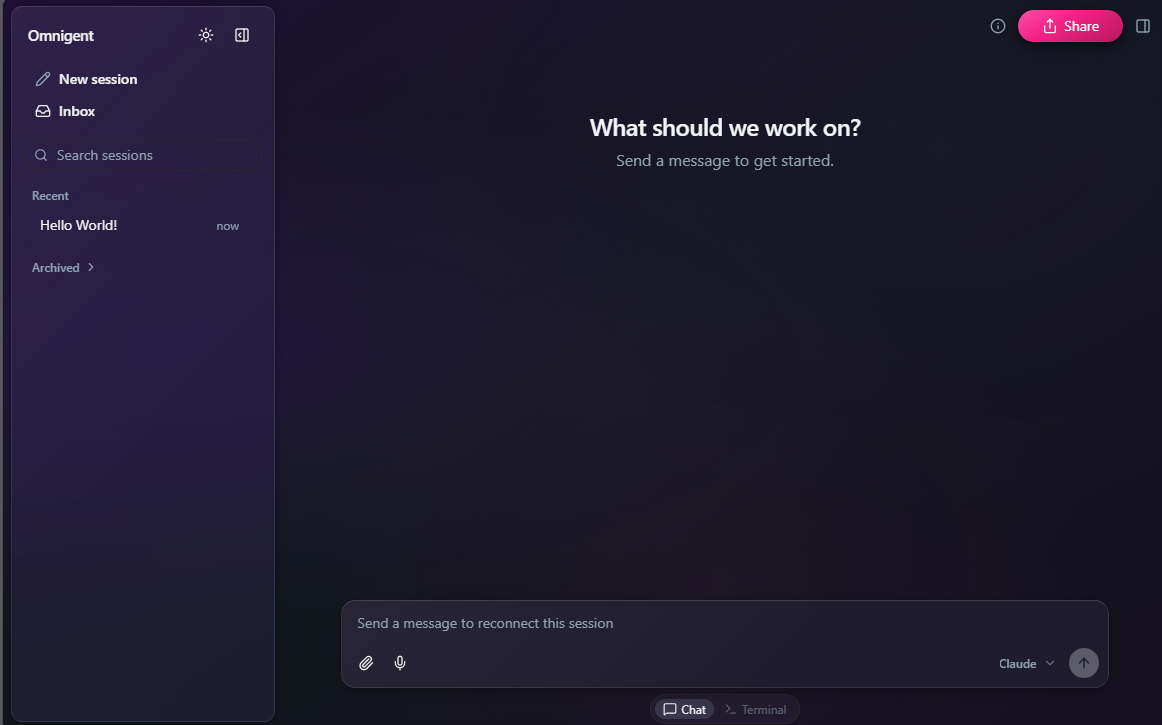
Hello World
Once the config was dialed in, I ran the thing.
Typed a message. Got a response.
Hello World. 🎉
There’s something about seeing your own agent stack respond — properly routed through your own gateway, with session context, in a clean environment, that makes the setup feel real. It’s a green light.
What’s Next
From Hello World, I started pulling in some of the in-flight work I’m already running — my to-do list, accelerators for our teams, demo scaffolding. That’s the actual test: not toy prompts, but real development work.
The next step I’m most interested in: building Databricks apps with this. Not just using Omnigent as a session manager, but running real development workflows, multiple agents across multiple worktrees, working in parallel on the same codebase. Our teams at Perficient are going to put this through its paces properly in the coming weeks.
That’s the bigger picture here. Databricks isn’t just extending the data platform, they’re extending how engineering teams work on top of it. Omnigent is a sign of where this is going: not just better data infrastructure, but better tooling for the people building on it. More to come once we’ve stress-tested it for real.
The Real Takeaway
- WSL is fast, clean, and the right call.
- An AI gateway is worth the extra step. If your organization doesn’t have one — look at PortKey. Routing, visibility, and cost control matter at scale.
- Know your serving layer. Direct to vendor, AI gateway, or Databricks Model Serving — each has different tradeoffs. If you’re already on Databricks, start there.
- Hello World matters. Don’t skip it. A clean green light before you start real work is worth 5 minutes.
- Do it on a plane. Forced focus, no meetings. Highly recommend.
Find Perficient at DAIS 2026
If you’re at Databricks Data and AI Summit, come find me. I’m happy to talk Omnigent, what we’re building at Perficient on top of Databricks, or how to get your own setup running.