
Introduction
GitHub Spec-Kit helps teams move from requirements to implementation through a structured, specification-driven workflow. Instead of treating requirements as static documents, Spec-Kit uses them as the foundation for planning, task generation, and development, helping reduce ambiguity and improve alignment between business intent and delivered software.
Why use Spec-Kit?
- Keeps requirements, design, and implementation aligned
- Reduces ambiguity during development
- Generates actionable implementation tasks
- Encourages consistency through project-wide standards
Installation
Step 1: Check if uv is already installed
Open Command Prompt and run the following command.
uv –version
if the response is like this:

then you need to install uv (using winget)
winget install –id=astral-sh.uv -e
The installation output should look similar to the following:

verify with the version cmd again

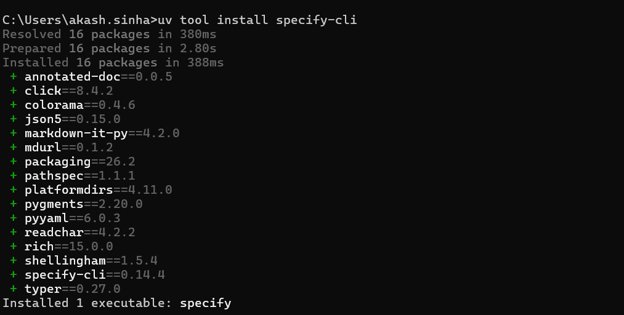
Step 2: install speckit
uv tool install specify-cli
Step 3:
Navigate to your project directory and run the following command
specify init my-project –integration copilot

Step 4 – Speckit Commands
Constitution
↓
Specify
↓
Plan
↓
Tasks
↓
Implement
1. Constitution
This command is used to create a shared framework of principles and development guidelines that will steer all future development decisions and activities.
ex: /speckit.constitution create principles based on the current coding standards
2. Specify
Use this command to define the business requirements, focusing on what needs to be built and why, without specifying implementation details or programming languages.
ex: /speckit.specify Build a GET API that returns the current server time
3. Plan
Use this command to define implementation details such as the programming language, framework versions, libraries, architecture, and testing approach
ex: /speckit.plan Use Java 11 and the java.time package to implement this GET API. Use JUnit 5 for unit testing
4. Tasks
It is used to break down the implementation plan into specific, trackable tasks for execution
ex: /speckit.tasks
5. Implement
Executes the generated tasks
/speckit.implement
Conclusion
GitHub Spec-Kit provides a structured path from requirements to implementation by combining specifications, planning, and task generation into a single workflow. In the next blog, we’ll walk through an end-to-end example and build a real application using these commands.