
Creating email templates that render consistently across major email clients (Outlook, Gmail, Yahoo, Apple Mail) is challenging for developers due to differences in rendering engines. Common issues include distorted corners, misaligned text, and inconsistent heights—especially in Outlook, which uses Microsoft Word’s engine.
In this article, I’ll show you how to create rounded-corner buttons that work in all major email clients. We’ll look into it:
- Creating Primary and Secondary buttons with HTML and VML
- The importance of conditional comments
- Using pt units instead of px for accurate Outlook rendering
- These approaches are applicable to both Outlook and non-Outlook clients.
Primary Button: Solid CTA
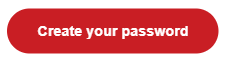
Main call-to-action (e.g., “Sign Up Now”) with solid background, no border, and pt-based radius for Outlook.
<div class="buttonWrapper">
 <!--[if mso]>
              <v:roundrect xmlns:v="urn:schemas-microsoft-com:vml" xmlns:w="urn:schemas-microsoft-com:office:word" rel="noopener" target="_blank"
href="url"
 style="height:28.5pt;v-text-anchor:middle;width:132pt;" arcsize="22.5pt" stroke="f" fillcolor="#C91E24">
                <w:anchorlock/>
                  <center>
            <![endif]-->
            <a rel="noopener" target="_blank"
href="url "
 style="mso-font-alt:9pt;background-color:#C91E24;border-radius:30px;color:#ffffff;display:inline-block;font-size: 9pt; line-height:28.5pt;font-weight:700;text-align:center;text-decoration:none;width:132pt;-webkit-text-size-adjust:none;">
              <span style="font-size:9pt;mso-font-alt:9pt;">Create your password</span>
              </a>
            <!--[if mso]>
                </center>
              </v:roundrect>
            <![endif]-->
</div>
This is how the button will appear following the above changes:

Key VML attributes (Primary):
- arcsize=”22.5pt”: Specifies corner radius
- stroke=”f”: Removes border for a clean appearance
- fillcolor=”#C91E24″: Specifies the solid background color
Secondary Button – Outlined Style
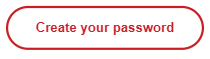
Non-critical CTA (e.g., “Learn more”) with border and white background.
<div class="buttonWrapper">
<!--[if mso]>
  <v:roundrect xmlns:v="urn:schemas-microsoft-com:vml"
xmlns:w="urn:schemas-microsoft-com:office:word"
href="url"
style="height:25.5pt;v-text-anchor:middle;width:132pt;" arcsize=" 22.5pt"
strokecolor="#C91E24" fillcolor="#ffffff">
<w:anchorlock/>
<center style="color:#C91E24;font-family:sans-serif;font-size:9pt;font-weight:bold;width:132pt; mso-line-height-rule:exactly;height:9pt;">
  Create your password
</center>
  </v:roundrect>
<![endif]-->
<!--[if !mso]><!-- -->
  <a
href="url"
style="display:inline-block;background-color:#ffffff;border:1.5pt solid #C91E24;border-radius:22.5pt;color:#C91E24;font-family:sans-serif;font-size:9pt;font-weight:bold;text-align:center;text-decoration:none;width:132pt;-webkit-text-size-adjust:none;mso-hide:all;">
  <span style="
   padding: 6pt 1pt;font-size:9pt;line-height: 15pt;display: block;
">Create your password</span>
  </a>
<!--<![endif]-->
</div>
This is how the button will appear following the above changes:
Key VML attributes (Secondary):
- arcsize=”22.5pt”: Specifies corner radius
- strokecolor=”#C91E24″: Specifies the border color
- fillcolor=”#ffffff”: specifies the white background color
What Happens to Non‑MSO Clients (Gmail, Yahoo, Apple Mail)?
Make anchors act like buttons by setting display: inline-block; use background-color, border-radius (and border for outlines), and tweak font-size/line-height/padding for alignment; add -webkit-text-size-adjust: none to prevent mobile scaling.
Understanding Conditional Comments
- <!–[if mso]> … <![endif]–>
Content is only displayed in Microsoft Outlook (desktop versions). This block contains VML code that renders rounded-corner buttons. - <!–[if !mso]><!– –> … <!–<![endif]–>
Displays content in all non-Outlook clients, including Gmail, Yahoo, Apple Mail, and mobile apps. This section comprises normal HTML and CSS.
How It Works
- Outlook uses VML because it does not support CSS features such as border-radius.
- Some clients utilize the HTML tag with CSS style for rounded corners.
- <w:anchorlock/> keeps text centered within the VML structure.
- mso-hide:all; hides the HTML version in Outlook to prevent duplication.
Why pt Units (Not px)?
Outlook’s Word engine handles pt reliably for height, width, line-height, radius, and padding.
Best Practices
- VML for Outlook + HTML/CSS for others via conditionals
- Inline styles everywhere
- Primary: arcsize=”22.5pt” stroke=”f” fillcolor=”#C91E24″
- Secondary: arcsize=”22.5pt” strokecolor=”#C91E24″ fillcolor=”#ffffff”
- Match dimensions across blocks; adjust as needed
Conclusion
Use conditionals for Outlook VML + HTML elsewhere, pt units, and matching dimensions for consistent rounded buttons across clients.